 Forgot your password ?
  Back to login
Canva Digital Signage for Restaurants: Design in Canva, Deploy with DsMenu
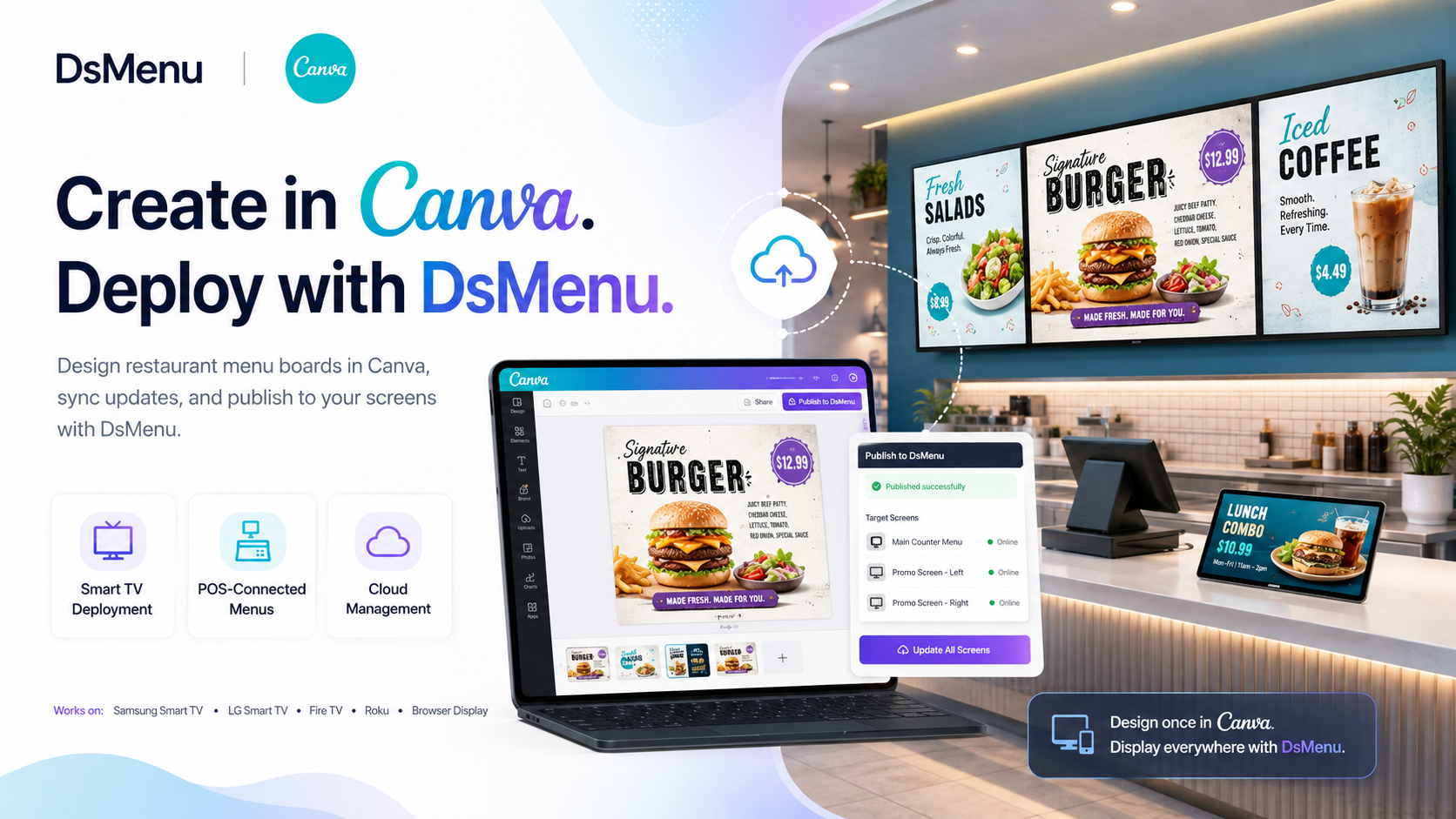
Designing a restaurant menu in Canva is easy. Getting that design onto your restaurant TVs—and keeping those screens updated—is where things can become more complicated.
With the Canva digital signage integration in DsMenu, restaurants can create their menu boards and promotional content in Canva, bring those designs into DsMenu, and deploy them across restaurant screens without building an expensive or complicated digital signage setup.
But the experience goes beyond Canva.
DsMenu brings together Canva-created content, cloud-based digital signage management, flexible TV deployment, and POS-integrated digital menu boards in one platform.
The idea is simple:
Create it in Canva or DsMenu. Connect your menu to your POS. Deploy it to your screens with DsMenu.
Turn Your Canva Designs Into Digital Signage
Many restaurant operators already use Canva to create menus, promotional graphics, seasonal specials, social media content, and other branded material.
There is no reason those designs should have to stay on a laptop or be recreated from scratch inside another digital signage platform.
With DsMenu, restaurants can use the designs they have already created in Canva for their digital menu boards and restaurant signage.
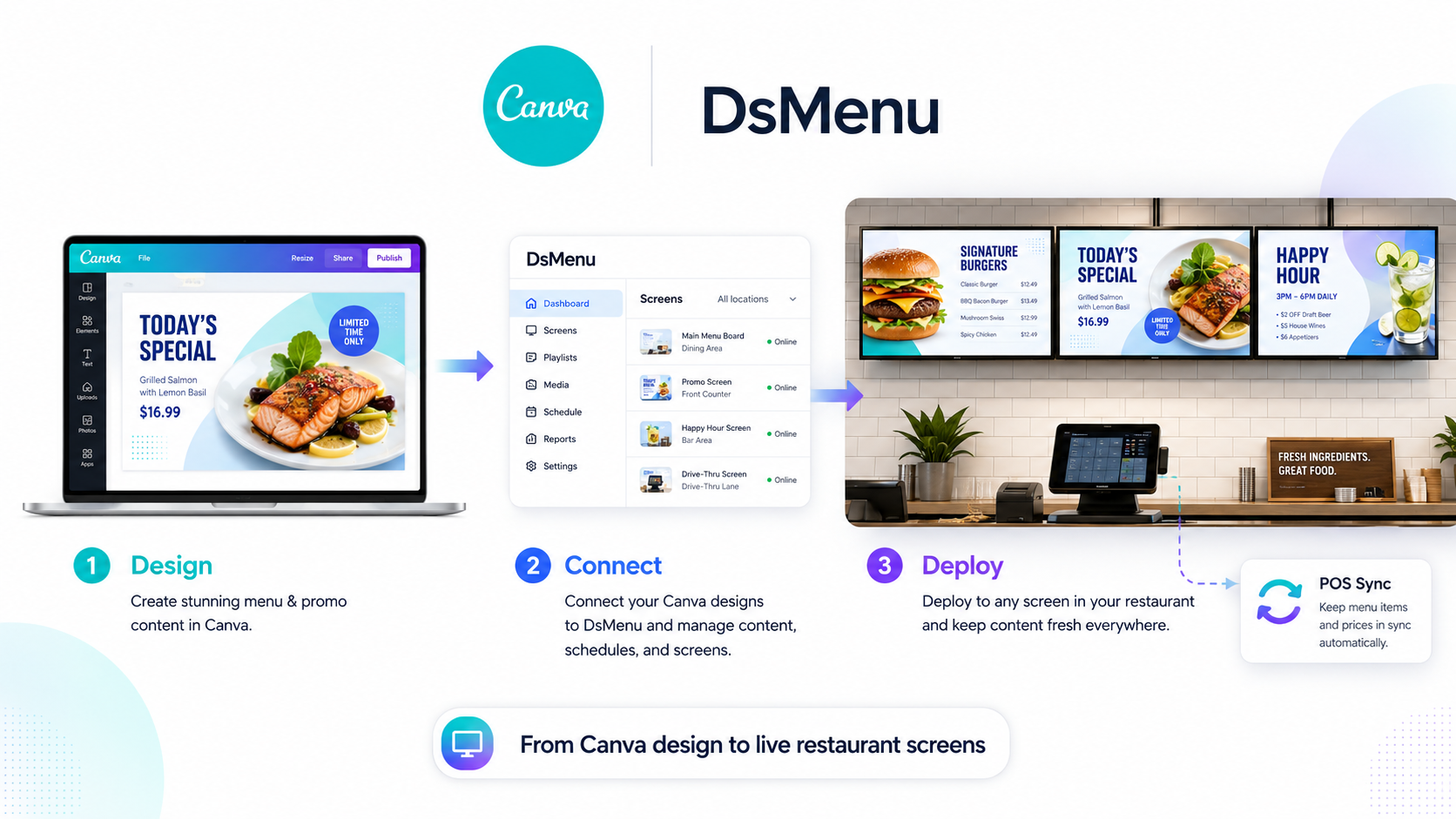
Create your design in Canva, bring it into DsMenu, select the screen where you want the content displayed, and manage your restaurant signage from the DsMenu platform.
Restaurants can also create their menu boards directly within DsMenu using its own menu board editor and templates.
That means your team can choose the workflow that works best for them rather than being forced into a single design system.
Canva Handles the Design. DsMenu Handles the Screen.
Creating great-looking content is only one part of digital signage.
The other challenge is deployment.
Restaurant teams still need a practical way to get that content onto their televisions, manage multiple screens, make changes, and keep everything running without creating more work for employees.
That is where DsMenu comes in.
DsMenu is designed to work directly with supported smart TVs and accessible streaming devices, allowing restaurants to transform screens they already own into cloud-managed digital menu boards and promotional displays.
Supported deployment options include:
Samsung Smart TVs
LG Smart TVs
Amazon Fire TV and Fire TV Stick
Amazon Signage Stick
Roku TV and Roku Streaming Stick
Browser-based displays
Instead of requiring every restaurant to purchase an expensive proprietary media player, DsMenu provides flexible deployment options based around hardware that restaurants may already have or can easily access.
Your television is already there.
DsMenu turns it into a centrally managed digital signage screen.
No Expensive Proprietary Digital Signage Player Required
Traditional restaurant digital signage deployments can involve specialized media players, complicated installation requirements, additional hardware, and ongoing technical support.
For an individual restaurant, that can make converting from static signage to digital menu boards unnecessarily expensive.
For dealers and resellers managing dozens or hundreds of restaurant locations, it can make deployment even more complicated.
DsMenu takes a different approach.
By supporting smart TVs and widely available streaming devices, restaurants can create a modern digital signage setup without replacing every television or installing a proprietary media player behind every screen.
That makes digital signage easier to deploy across a single restaurant or multiple locations.
Connect Your Digital Menu Boards to Your POS
A beautiful Canva menu board can capture attention.
But restaurant menu information also needs to remain accurate.
Prices change. Items become unavailable. New products are introduced. Seasonal menus launch. Promotions end.
Manually updating every menu board each time one of those changes occurs creates additional work for restaurant employees and increases the possibility that the information displayed on the screen no longer matches the POS.
DsMenu's POS-integrated digital menu boards help solve that problem.
With a supported POS integration, menu information such as item names, pricing, descriptions, and availability information can be connected with DsMenu.
Instead of treating the restaurant's digital menu board as an entirely separate system, DsMenu helps connect the display to the restaurant's existing technology.
That means the workflow can become:
Design in Canva ? Manage in DsMenu ? Connect the POS ? Display on your TVs
One Platform for Restaurant Digital Signage
Restaurants increasingly use their screens for more than a simple list of products and prices.
Digital signage can be used for:
Digital menu boards
Promotional ad boards
Limited-time offers
Seasonal campaigns
Animated menu boards
Video content
Product promotions
Restaurant branding
Presell boards
Multi-screen menu walls
With DsMenu, those different types of restaurant signage can be managed through the same platform.
A restaurant could have its primary menu displayed on one television, a promotional Canva design on another, and video content highlighting a signature product on a third.
The goal is not simply to digitize a printed menu.
It is to create a flexible restaurant communication system across every screen.
Cloud-Based Digital Signage Management
Once restaurant signage becomes digital, updating it should not require someone to physically visit every television.
DsMenu provides cloud-based management so content can be controlled centrally.
When a restaurant needs to launch a promotion, replace a seasonal menu, change a campaign, or update another screen, the content can be managed through DsMenu rather than manually rebuilding the signage setup at the restaurant.
This becomes especially valuable for businesses operating multiple screens or multiple restaurant locations.
Centralized digital signage management gives operators greater control while reducing the burden placed on individual restaurant teams.
Why This Matters for Restaurant Operators
Restaurant technology should reduce operational work—not create another system employees need to constantly manage.
Combining Canva with DsMenu allows restaurants to keep the design flexibility they already enjoy while gaining a practical way to deploy and manage that content on their TVs.
Restaurant operators can create professional-looking digital signage without needing an advanced design team, while DsMenu handles the infrastructure needed to move that content from the design stage to the restaurant screen.
And when POS integration is added, menu management becomes even easier.
Instead of repeatedly updating the same information across multiple systems, the restaurant can connect more of its menu workflow together.
A Better Digital Signage Solution for Dealers and POS Providers
The same deployment model also creates an opportunity for restaurant technology dealers, resellers, and POS providers.
Digital menu boards are a natural extension of the restaurant technology stack, but traditional signage deployments can become expensive and technically demanding.
Every additional proprietary device, hardware installation, or disconnected system creates another component that needs to be installed and supported.
DsMenu gives dealers a way to provide restaurant clients with a more complete digital signage solution built around familiar hardware and centralized management.
Dealers can offer clients:
Canva-compatible digital signage
Restaurant digital menu boards
POS-connected menus
Promotional and advertising screens
Cloud-based screen management
Multi-location digital signage
Smart TV and streaming-device deployment
Instead of turning every digital signage installation into a major technical project, dealers can offer a system designed to work alongside technology already being used inside the restaurant.
From Canva to the Restaurant TV
Canva makes creating restaurant content easier.
DsMenu makes deploying and managing that content easier.
POS integration helps keep the information displayed on the menu accurate.
Together, they create a much simpler workflow for modern restaurant digital signage.
You should not need expensive proprietary hardware just to display a menu.
You should not need to rebuild a Canva design just because you want to display it on a restaurant TV.
And your staff should not have to spend valuable time repeatedly updating disconnected menu systems.
Create it in DsMenu or Canva.
Connect it to your POS.
Deploy it to your screens with DsMenu.
That is what modern restaurant digital signage should look like.